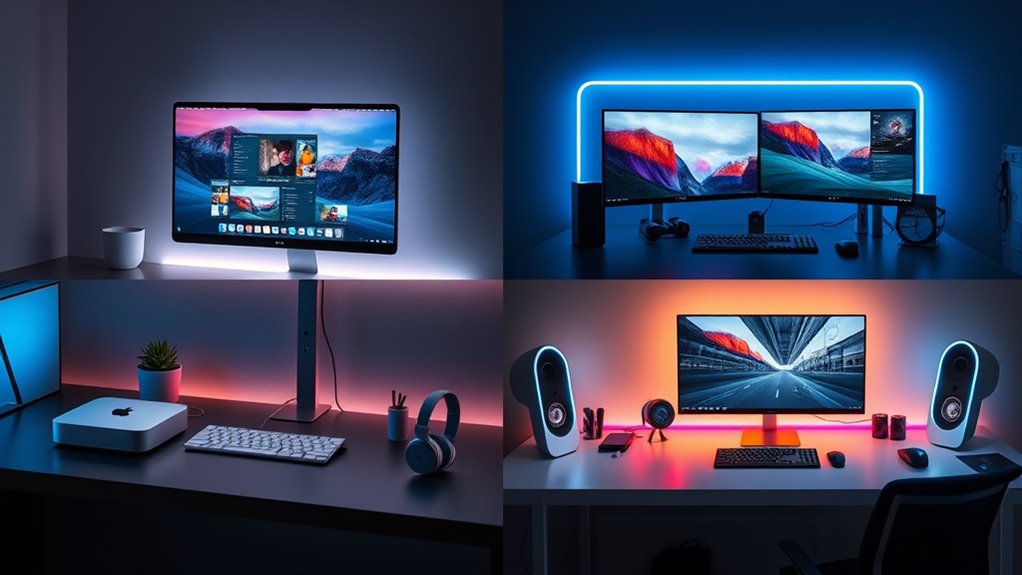

For creators choosing a Mac mini in 2027, the biggest decision is how much performance and headroom the work actually needs. I rank the M5 Pro Mac mini first for demanding creative applications and multi-display studios, while the M4 Pro model is the more clearly specified choice for serious work on a prior-generation chip. For a more approachable desktop setup, the renewed M4 with 24GB of memory offers a strong balance for editing, design, and general production.

Get wellness gear delivered free with Prime
- Fast, free delivery on millions of items
- Prime Video, Amazon Music and more included
- Member-only deals all year
The tradeoff is not simply newer versus older. Chip capability, memory, storage, condition, and the demands of a particular workflow all affect the fit. I would not treat a refurbished M1 or Intel Mac mini as equivalent to a current Pro configuration: those machines can suit lighter or legacy tasks, but they leave less room for demanding creative software and future workloads. My ranking reflects that distinction, with each pick tied to a specific creator profile rather than an assumption that everyone needs the most powerful machine.
Key Takeaways
- The M5 Pro ranks first for demanding creative work because its listed Thunderbolt 5 connectivity, 307GB/s memory bandwidth, and support for three external displays favor a busy studio setup.
- The M4 Pro is the strongest clearly specified prior-generation pick here, with a 12-core CPU, 16-core GPU, 24GB unified memory, and 512GB SSD.
- The renewed M4 with 24GB memory is the lineup’s practical middle ground for creators who want a current-generation chip without stepping up to a Pro configuration.
- The renewed M1’s 8GB memory and 256GB SSD make it a better fit for light creator tasks than sustained heavy editing or large project libraries.
- The 2018 Intel model is the specialist legacy choice, not a general performance bargain: its 16GB RAM and 512GB SSD do not remove the age and condition tradeoffs.
| Apple 2026 Mac mini Desktop Computer with M5 Pro Chip |  | Best Overall for Demanding Creative Studios | Processor: Apple M5 Pro | Memory bandwidth: 307GB/s | Ports: Three Thunderbolt 5, HDMI, 2.5Gb Ethernet, two USB-C, headphone jack | VIEW ON AMAZON | See Our Full Breakdown |
| Apple 2024 Mac mini Desktop Computer with M4 Pro Chip, 24GB Memory, 512GB SSD, Gigabit Ethernet |  | Best for Clearly Specified Pro Workloads | Processor: M4 Pro, 12-core CPU and 16-core GPU | Memory: 24GB unified memory | Storage: 512GB SSD | VIEW ON AMAZON | See Our Full Breakdown |
| Apple 2024 Mac Mini with M4 Chip, 10-Core CPU, 24GB RAM, 512GB SSD – Silver (Renewed) |  | Best Value-Style Balance for Everyday Creators | Processor: Apple M4, 10-core CPU | GPU: 10-core GPU | Memory: 24GB | VIEW ON AMAZON | See Our Full Breakdown |
| Apple 2020 Mac Mini with M1 Chip, 8GB RAM, 256GB SSD – Silver (Renewed) |  | Best for Entry-Level and Light Creator Tasks | Processor: Apple M1 | Memory: 8GB unified memory | Storage: 256GB SSD | VIEW ON AMAZON | See Our Full Breakdown |
| Apple Late 2018 Mac Mini with 3.0GHz Intel Core i5, 16GB RAM, 512GB SSD, Space Gray |  | Best for Legacy Intel Mac Needs | Model: Late 2018 Mac mini | Processor: 3.0GHz Intel Core i5 | Memory: 16GB RAM | VIEW ON AMAZON | See Our Full Breakdown |
| mac mini configurations for creator | Processor | Memory | Storage | Condition |
|---|---|---|---|---|
| Apple 2026 Mac mini Desktop Co | Apple M5 Pro | — | — | — |
| Apple 2024 Mac mini Desktop Co | M4 Pro, 12-core CPU and 16-core GPU | 24GB unified memory | 512GB SSD | — |
| Apple 2024 Mac Mini with M4 Ch | Apple M4, 10-core CPU | 24GB | 512GB SSD | Renewed |
| Apple 2020 Mac Mini with M1 Ch | Apple M1 | 8GB unified memory | 256GB SSD | Renewed |
| Apple Late 2018 Mac Mini with | 3.0GHz Intel Core i5 | 16GB RAM | 512GB SSD | Renewed, pre-owned |
More Details on Our Top Picks
Apple 2026 Mac mini Desktop Computer with M5 Pro Chip
I rank this M5 Pro configuration first because it combines the most forward-looking listed connectivity with a clear fit for demanding creator workflows. The M5 Pro chip, stated 307GB/s memory bandwidth, and storage described as up to twice as fast as the prior comparison make it the strongest candidate here for projects that involve heavy multitasking, large media assets, or computationally demanding creative tools. The product description also calls out AI workflows, which may appeal to creators using supported AI features in their applications.
Its studio advantages go beyond the chip. Three Thunderbolt 5 ports, HDMI, 2.5Gb Ethernet, two USB-C ports, and support for up to three external displays give this model a useful role as the center of a multi-screen desk. Compared with the M4 Pro, it offers newer listed connectivity and a higher stated bandwidth figure; compared with the M4, it is the more ambitious pick for projects where extra headroom matters. The compact Mac mini footprint remains useful when desk space is limited.
The catch is that the provided listing does not specify memory or SSD capacity, so I cannot tell whether the exact configuration suits a large video library or extensive sample collection without checking the selected option. It may also be more machine than a beginner, occasional editor, or mostly browser-based creator needs. I would choose it for a workload that can use its capability, not simply because it sits at the top of the range.
Pros:- M5 Pro chip is positioned for demanding creative and AI-assisted workflows.
- Three Thunderbolt 5 ports and 2.5Gb Ethernet suit a connected studio desk.
- Supports up to three external displays.
- 307GB/s stated memory bandwidth and faster storage positioning favor intensive work.
Cons:- The provided details do not identify memory or SSD capacity.
- Its performance focus may be unnecessary for light creative workloads.
- Moving into the macOS ecosystem may not suit creators tied to Windows-only software.
Best for: Video editors, 3D and motion creators, and multi-display studio users who want the newest listed Pro-class platform and high-speed connectivity.
Not ideal for: Budget-conscious beginners or creators who mainly edit occasional photos and documents; buyers who need a confirmed memory and storage configuration before choosing.
- Processor:Apple M5 Pro
- Memory bandwidth:307GB/s
- Ports:Three Thunderbolt 5, HDMI, 2.5Gb Ethernet, two USB-C, headphone jack
- Display support:Up to three external displays
- Storage speed:Listed as up to 2x faster storage
- Wireless:Wi-Fi 7 and Bluetooth 6
Our verdict“I would pick the M5 Pro as the most capable studio-oriented configuration here, provided the exact memory and storage option matches the project workload.”
Apple 2024 Mac mini Desktop Computer with M4 Pro Chip, 24GB Memory, 512GB SSD, Gigabit Ethernet
This M4 Pro is my choice for creators who want a defined memory and storage configuration rather than the less detailed listing attached to the M5 Pro. Its 12-core CPU, 16-core GPU, 24GB unified memory, and 512GB SSD give buyers a concrete starting point for estimating whether the desktop will fit their applications and project files. For demanding editing, design, and production tasks, that clarity can matter as much as a newer chip name.
Compared with the M5 Pro, this machine is the more specific purchase on paper: the memory and SSD are stated, while the M5 Pro details supplied here do not identify either capacity. Against the standard M4, it has a Pro chip intended for heavier workloads, making it a better match when creative applications routinely run together or use substantial graphics resources. Its 5-by-5-inch body and front USB-C ports also keep it convenient on a crowded desk.
The main limit is the 512GB internal SSD. A creator working with high-resolution footage, large audio libraries, or multiple active projects may need external storage, and the listed Gigabit Ethernet is less advanced than the M5 Pro’s 2.5Gb connection. I would choose this over the M5 Pro when a specified 24GB/512GB setup better matches the plan; creators who need newer ports or three-screen support should compare the M5 Pro’s listing before deciding.
Pros:- 12-core CPU and 16-core GPU target demanding creative applications.
- 24GB unified memory is explicitly specified.
- 512GB SSD gives buyers a clear baseline for planning project storage.
- Compact 5-by-5-inch design with front USB-C ports.
Cons:- 512GB may fill quickly with media libraries and active projects.
- Gigabit Ethernet is less advanced than the M5 Pro listing’s 2.5Gb Ethernet.
- The listed configuration is from 2024 rather than the newer M5 Pro generation.
Best for: Creators who want a defined Pro-level configuration for editing, graphics, or production and value known memory and SSD capacity.
Not ideal for: People who need a large internal project library, the newest listed connectivity, or the highest stated display count.
- Processor:M4 Pro, 12-core CPU and 16-core GPU
- Memory:24GB unified memory
- Storage:512GB SSD
- Dimensions:5 x 5 x 2 inches
- Weight:1.6 pounds
- Connectivity:Thunderbolt, HDMI, Gigabit Ethernet, front USB-C, headphone jack
Our verdict“I recommend the M4 Pro when a clearly stated 24GB memory and 512GB SSD configuration matters more than the M5 Pro’s newer listed connectivity.”
Apple 2024 Mac Mini with M4 Chip, 10-Core CPU, 24GB RAM, 512GB SSD – Silver (Renewed)
This renewed standard M4 is the lineup’s sensible middle ground for creators who want a recent chip and substantial listed memory without moving to a Pro model. The 10-core M4 with 24GB RAM should be a more comfortable base for multitasking than the renewed M1’s 8GB, while its 512GB SSD doubles that older model’s listed capacity. For illustration, photography, social video, and general production, it is the configuration I would examine before spending on Pro-tier capability.
It also has a practical port selection for a small creative desk: three Thunderbolt 4 ports, HDMI, Gigabit LAN, two USB-C ports, and a headphone jack. Compared with the M4 Pro, this model gives up the Pro chip and its specified 12-core CPU/16-core GPU, so it is not my first choice for the heaviest rendering or sustained high-resolution video work. But for creators whose applications do not need that extra tier, the standard M4 keeps the machine focused on a broad set of daily tasks.
The important qualifier is renewed condition. Buyers should confirm the warranty, return policy, and condition details for the specific offer, and remember that the compact integrated design leaves limited room for later upgrades. The 512GB SSD may also require external storage for large libraries. I place it below the two Pro models for raw workload headroom, but above the older M1 and Intel options for a more current creator workstation.
Pros:- M4 10-core CPU and 10-core GPU suit a wide range of everyday creative tasks.
- 24GB RAM offers more multitasking headroom than the renewed M1 configuration.
- 512GB SSD provides more listed storage than the M1 pick.
- Three Thunderbolt 4 ports plus HDMI support a flexible desktop setup.
Cons:- Renewed condition means buyers should check warranty and return terms.
- Standard M4 is a step below the M4 Pro for demanding graphics-heavy work.
- Integrated design limits later upgrades, and 512GB may not hold a large media library.
Best for: Photographers, illustrators, and video creators handling moderate projects who want 24GB RAM and a newer-generation chip in a renewed system.
Not ideal for: Creators who need a new-condition computer, heavy sustained Pro-level performance, or more than 512GB of internal storage.
- Processor:Apple M4, 10-core CPU
- GPU:10-core GPU
- Memory:24GB
- Storage:512GB SSD
- Neural Engine:16-core
- Ports:Three Thunderbolt 4, HDMI, Gigabit LAN, two USB-C, 3.5mm headphone jack
- Wireless:Wi-Fi 6E and Bluetooth 5.3
- Condition:Renewed
Our verdict“I would choose this renewed M4 for mixed creator work that benefits from 24GB RAM but does not justify the M4 Pro’s heavier-duty positioning.”
Apple 2020 Mac Mini with M1 Chip, 8GB RAM, 256GB SSD – Silver (Renewed)
The renewed M1 makes sense only when the work is modest and the buyer is comfortable choosing an older refurbished configuration. Its Apple M1 chip can support everyday creative tasks such as basic photo adjustments, simple design work, and light audio sessions, but the listed 8GB memory and 256GB SSD are the tightest capacities in this roundup. Those limits matter when a creator keeps several demanding apps open, uses large source files, or stores projects locally.
Compared with the renewed M4, this model has less than half the listed RAM and half the SSD capacity, as well as an older chip generation. That makes the M4 the much safer general-purpose creator recommendation when the extra headroom is needed. The M1 does retain the compact desktop format and Apple ecosystem benefits, so it may still suit a secondary workstation, a learning setup, or a creator whose active projects live on external storage.
Its renewed status adds another layer of uncertainty: warranty coverage and condition can vary by offer, and the supplied configuration does not list its ports or display support, so I would verify those details before building a studio around it. I would skip it for regular high-resolution video editing, 3D work, or large multitasking sessions. Its role is a restrained entry point for light tasks, not a substitute for the M4 or Pro picks.
Pros:- Compact Mac mini format suits small desks and secondary workstations.
- M1 chip can handle light creative and everyday productivity tasks.
- Apple ecosystem integration may suit users already working across Apple devices.
Cons:- 8GB RAM is the lowest memory capacity in this comparison.
- 256GB SSD offers limited room for creative applications and local project files.
- Renewed condition and older platform make it less suitable for a long-term demanding workstation.
Best for: Beginners learning creative software, light photo editors, or users setting up a secondary Mac for simple projects.
Not ideal for: Video editors with large footage, 3D and motion designers, or anyone who needs multiple demanding applications open at once.
- Processor:Apple M1
- Memory:8GB unified memory
- Storage:256GB SSD
- Color:Silver
- Condition:Renewed
- Form factor:Mac mini compact desktop
Our verdict“I would consider the renewed M1 only for light creator work or a secondary setup, not as the main desktop for demanding projects.”
Apple Late 2018 Mac Mini with 3.0GHz Intel Core i5, 16GB RAM, 512GB SSD, Space Gray
This late-2018 Mac mini has a narrow but valid place in a creator roundup: it is the legacy Intel option for buyers who need an older Mac environment or specific Intel-dependent software. Its 3.0GHz Intel Core i5, 16GB RAM, and 512GB SSD give it a more generous listed memory and storage combination than the renewed M1, but those figures do not make it a stronger modern creative workstation by themselves. Platform age and software requirements matter more than capacity totals alone.
Compared with the M1, its clearest distinction is the Intel processor and 16GB RAM, which may appeal to a user with legacy tools or workflows. Against the M4 and M4 Pro, however, this is the oldest system in the group and the least convincing choice for creators starting a new long-term setup. The supplied details say it has been professionally inspected and includes compatible accessories, but they also identify it as pre-owned and not Apple-certified.
I would ask buyers to confirm the precise condition, return terms, included accessories, and compatibility with their creative software before choosing it. The description’s battery-capacity note is not particularly useful for a desktop, so I would focus on the computer’s operation and support terms instead. This pick ranks last because its role depends on legacy compatibility; for current editing and design work, I would favor the M4 or M4 Pro configurations.
Pros:- 16GB RAM is more than the renewed M1 configuration’s listed 8GB.
- 512GB SSD offers more local capacity than the renewed M1.
- May fit a workflow that specifically depends on an Intel Mac.
- Listing describes professional inspection, testing, and cleaning.
Cons:- The 2018 Intel platform is the oldest option in this roundup.
- Pre-owned and not Apple-certified, with compatible non-original accessories.
- Its stated memory and storage do not make it equivalent to newer M4 configurations.
Best for: Creators who specifically need an Intel-based Mac for legacy software, older plug-ins, or an existing Intel Mac workflow.
Not ideal for: Most buyers building a new creator workstation, especially those focused on demanding modern editing, graphics, or long-term software headroom.
- Model:Late 2018 Mac mini
- Processor:3.0GHz Intel Core i5
- Memory:16GB RAM
- Storage:512GB SSD
- Condition:Renewed, pre-owned
- Color:Space Gray
- Accessories:Compatible, non-original accessories
Our verdict“I would choose this only for a clear Intel compatibility need; for a new creator setup, the M4 generation is a better starting point.”

How We Picked
I ranked these five configurations by how well their stated hardware matches real creator workloads: photo and video editing, illustration, audio production, multitasking, and desk setups with external displays and peripherals. I gave more weight to the processor generation and graphics capability for demanding applications, then looked at the listed memory and SSD capacity because creative projects can tax both quickly. Connectivity and display support also matter: a small desktop can still be a productive studio hub if it can connect to the screens and equipment a creator uses.
I also treated product condition as part of the configuration, not a footnote. A renewed M4 and renewed M1 may offer useful capability, but buyers should account for warranty terms and the limited upgrade path of an integrated compact desktop. The pre-owned 2018 Intel model gets a narrower role because its stated memory and storage do not change the age of its platform. I did not assume unlisted configurations, performance figures, or upgrade options. Since this is a comparison of listed products rather than a claim of hands-on testing, the ranking is based on supplied specifications and the likely needs of each creator profile. I also weighed drawbacks: a powerful chip is less useful if the memory or storage configuration is a poor fit, and an older machine may not be appropriate for current, intensive applications.
| mac mini configurations for creator | Condition |
|---|---|
| Apple 2026 Mac mini Desktop Co | — |
| Apple 2024 Mac mini Desktop Co | — |
| Apple 2024 Mac Mini with M4 Ch | Renewed |
| Apple 2020 Mac Mini with M1 Ch | Renewed |
| Apple Late 2018 Mac Mini with | Renewed, pre-owned |
Factors to Consider When Choosing Mac Mini Configurations For Creators
I would match the Mac mini to the workload first, then check memory, storage, displays, and condition. The following questions help separate a capable everyday creative desktop from a machine meant for heavier studio production.Choose the chip around the work you actually do
For repeated high-resolution editing, complex graphics, motion work, or several creative apps running together, I would start with the M5 Pro or M4 Pro. The M5 Pro listing emphasizes bandwidth, Thunderbolt 5, and three-display support; the M4 Pro gives a defined 12-core CPU, 16-core GPU, and 24GB memory. For photography, illustration, lighter video, and a broad mix of daily tasks, the standard M4 with 24GB is a more proportionate choice. The M1 can cover simple work, but its 8GB memory makes it the least flexible current-workflow option here. I would choose the 2018 Intel model only when software compatibility calls for it.
Treat memory as working room
Memory affects how comfortably a desktop can keep large documents and several applications active. In this lineup, the M4 Pro and renewed M4 each list 24GB, while the M1 lists only 8GB. The M5 Pro memory capacity is not specified in the supplied details, so I would confirm the exact configuration rather than infer it from the chip name. The Intel model lists 16GB, but that capacity does not erase the platform’s age. Since these are compact integrated desktops with limited upgrade options noted for the renewed M4, I would pick a memory configuration that suits the work from the start.
Plan storage for active projects, not just applications
A 512GB SSD can be a workable system drive, but video footage, sample libraries, and large project folders can consume that space quickly. The M4 Pro, renewed M4, and 2018 Intel model list 512GB; the M1 lists 256GB, which leaves less room for local files. The M5 Pro listing does not specify capacity, so verify the selected configuration. External drives can help keep archives and source media separate, but they add cost, desk connections, and another device to manage. I would decide whether projects need to live locally before settling on the SSD size.
Check displays and studio connections
Creators often connect displays, storage, audio interfaces, card readers, and network hardware, so port details can shape the setup. The M5 Pro explicitly lists three Thunderbolt 5 ports, HDMI, 2.5Gb Ethernet, and support for up to three external displays. The renewed M4 lists three Thunderbolt 4 ports, HDMI, Gigabit LAN, and USB-C. The M4 Pro details name Thunderbolt, HDMI, Gigabit Ethernet, and front USB-C, while the M1 product details here do not provide a full port list. Before buying, I would check that the exact Mac mini supports the displays and peripherals already on the desk.
Weigh renewed and pre-owned condition carefully
Renewed models can offer useful hardware, but condition is part of the decision. I would read the current listing for warranty coverage, returns, included accessories, and cosmetic or functional grading. That matters most for the M4, M1, and Intel entries here, each of which is described as renewed or pre-owned. The newer M4 can make a compelling middle choice if its condition terms are acceptable; the M1 has less memory and storage headroom, while the 2018 model has the added limitation of an older Intel platform. For a primary workstation used every day, support terms deserve as much attention as the processor name.
Frequently Asked Questions
Which Mac mini configuration is the strongest choice for demanding creator work?
I rank the M5 Pro first for demanding studio use because its supplied details list 307GB/s memory bandwidth, Thunderbolt 5, 2.5Gb Ethernet, and support for up to three external displays. The M4 Pro is a strong alternative when a specified 24GB of memory and 512GB SSD matter more than those newer listed connections. I would still verify the M5 Pro’s exact memory and storage configuration before choosing it for large projects.
Is the standard M4 enough for video editing and design?
The renewed M4 with 24GB RAM and a 512GB SSD is a reasonable fit for many moderate editing, design, photography, and illustration workflows. It is less suited than the M4 Pro or M5 Pro to especially demanding graphics work or sustained heavy multitasking, and its renewed condition calls for checking the seller’s terms. Project size, footage resolution, software, and storage habits all affect whether it is enough for a particular creator.
Should I choose the renewed M1 or renewed M4?
I would favor the renewed M4 for a main creator computer because it lists 24GB memory and a 512GB SSD, compared with the M1’s 8GB and 256GB. That extra capacity gives more room for multitasking and local projects. The M1 may still work for light tasks or a secondary setup, but buyers should check its renewal terms and accept that it has less headroom for demanding applications.
How much storage should a creator look for?
There is no single capacity that suits every creator, but 512GB is a more comfortable starting point than 256GB for applications and active project files. Video, audio, and design libraries can outgrow either size, so I would plan for external storage if projects must stay local or readily accessible. The M5 Pro listing does not state SSD capacity in the supplied details, so confirm the selected configuration before purchase.
Does the 2018 Intel Mac mini make sense for creators?
It makes the most sense when a creator has a specific Intel Mac software or compatibility requirement. Its listed 16GB RAM and 512GB SSD may look more generous than the renewed M1’s capacities, but the older platform remains the main limitation for a new workstation. I would compare current software support, the renewed condition, and return terms, then favor an M4 configuration for most new editing and design setups.
Conclusion
For a demanding multi-display studio, I would choose the M5 Pro, after confirming its exact memory and storage. If I wanted a Pro-oriented machine with listed capacity details, I would select the M4 Pro with 24GB memory and a 512GB SSD. For a mixed creator workload that does not call for a Pro chip, the renewed M4 with 24GB RAM is the practical middle option, provided its renewal terms suit the buyer. I would reserve the renewed M1 for light tasks or a secondary desk and the 2018 Intel model for legacy compatibility needs. That keeps the choice tied to the work: buy capability when projects can use it, and avoid paying in space, complexity, or unused headroom for a workstation that is more than the workflow asks for.
Fall Picks
fall essentials
As an affiliate, we earn on qualifying purchases.