Using a fan at night can dry out your skin and nasal passages, especially if the air is dry or you’re exposed to direct airflow for a long time. The airflow reduces humidity and pulls moisture from your skin and mucous membranes, which may cause irritation and congestion. However, adjusting the fan’s speed, positioning it away from your face, or adding a humidifier can help prevent dryness. Keep exploring to learn how to balance comfort and health during sleep.

Get wellness gear delivered free — and shop member deals
- Fast, free delivery on millions of items
- Access to Prime Big Deal Days deals on October 6–7
- Prime Video, Amazon Music and more included
Key Takeaways
- Fans can dry out skin and mucous membranes if the air is dry and humidity is low.
- Dry air from a fan may worsen nasal congestion and cause irritation.
- Increasing room humidity or using a humidifier can counteract dryness caused by a fan.
- Adjusting fan speed and directing airflow away from the face reduces moisture loss.
- Individual sensitivity varies; monitoring symptoms helps optimize fan use for comfort.
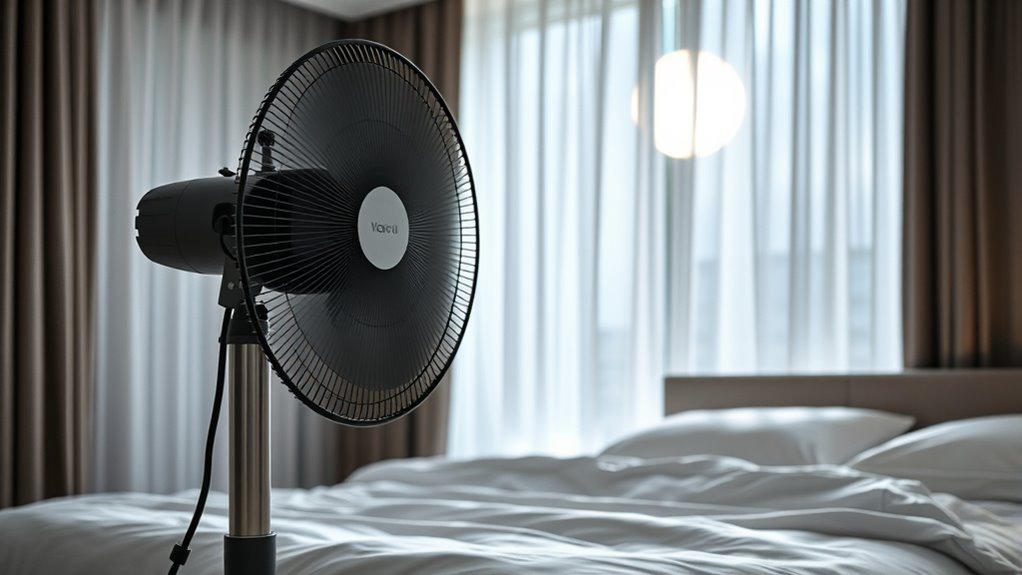
Many people wonder if sleeping with a fan on will dry out their skin or throat overnight. The idea is that the constant airflow might strip away moisture, leaving you feeling parched when you wake up. But the truth isn’t that simple. When you turn on a fan, it circulates the air in your room, often creating a breeze that can feel soothing on warm nights. However, this airflow can influence the level of humidity in your environment. If your room has humid air, the fan may not cause much drying; instead, it can even help prevent stuffiness. But if the air is dry, the fan’s movement can accelerate moisture loss from your skin and throat. This is especially true if you tend to wake up with a sore or dry throat, which some associate with nighttime airflow. Humidity levels play a crucial role in how much a fan might dry you out. Your nasal passages are particularly sensitive to changes in air quality and humidity. When the air is dry, your nasal congestion might worsen, making it harder to breathe comfortably. The increased airflow from the fan can dry out the mucous membranes inside your nose, leading to irritation and a feeling of congestion. This can create a cycle where nasal congestion worsens, making it harder to breathe and causing you to feel even more uncomfortable. Conversely, if your room’s humidity is higher, the fan’s airflow won’t have as much of an impact on nasal congestion, and you might not notice any dryness at all. So, the key is balancing airflow with adequate humidity levels. You might also notice your skin feeling drier after sleeping with a fan on. When air is dry, it pulls moisture from your skin, which can lead to dryness, irritation, or even cracking over time. If you’re prone to dry skin, using a humidifier alongside your fan can help mitigate this effect. This addition helps maintain a more balanced environment, ensuring your skin stays hydrated even with the airflow. It’s also worthwhile to pay attention to your personal comfort. Some people are more sensitive to airflow and notice dryness quickly, while others don’t experience any issues at all. Adjusting the fan’s speed or positioning it away from your face can make a significant difference. Ultimately, whether a fan dries you out depends on your room’s humidity, your skin’s sensitivity, and your nasal health. If you notice dryness or congestion, consider using a humidifier or reducing the fan’s speed. Maintaining a balanced environment can help you enjoy the cool breeze without sacrificing comfort or health.
As an affiliate, we earn on qualifying purchases.
Frequently Asked Questions
Can a Fan Cause Dehydration Overnight?
A fan won’t cause dehydration overnight, despite dehydration myths suggesting otherwise. Fans circulate air, which can create a sensation of dryness, but they don’t remove moisture from your body. Fan moisture levels may feel lower, but your body maintains hydration unless you’re losing fluids through sweating or illness. To stay hydrated, drink enough water, especially if you sleep with a fan. Rest assured, a fan alone won’t dehydrate you overnight.
Does Fan Noise Disturb Sleep Quality?
Like a vintage radio playing soft static, fan noise often creates white noise that can help you fall asleep. But, if the sound is too loud or inconsistent, it might cause sleep disruption, waking you or preventing deep rest. You might find that a gentle, steady hum improves your sleep quality, while noisy or erratic sounds do the opposite. Adjust your fan to find the perfect balance for peaceful sleep.
Are There Health Risks From Sleeping Near a Fan?
Sleeping near a fan generally doesn’t pose significant health risks, but it can cause skin dryness if the airflow is intense. You might also notice increased airborne allergens circulating, which could trigger allergies or respiratory issues. To minimize these effects, keep the fan at a gentle setting and make sure your room is clean and allergen-free. This way, you enjoy a cool night without risking discomfort or health problems.
How Do Fans Affect Indoor Air Quality?
Your fan dramatically transforms indoor air quality by boosting air circulation and controlling humidity levels. It whips around stale air, preventing stuffiness and reducing indoor pollutants, making your space feel fresher instantly. By maintaining ideal humidity, it stops moisture buildup and mold growth. So, instead of letting indoor air stagnate, your fan actively refreshes and cleans the air, creating a healthier, more comfortable environment every night.
Can Fans Help With Congestion or Respiratory Issues?
Fans can help with congestion and respiratory issues by promoting air circulation, which can reduce stuffiness. While they don’t add humidification effects directly, they can improve airflow, making breathing easier. This increased air movement may offer respiratory benefits, especially if combined with a humidifier. Keep the fan at a gentle setting to avoid drying out your nasal passages, and consider adding humidity if dryness persists.
As an affiliate, we earn on qualifying purchases.
Conclusion
So, does a fan dry you out at night? Think of it like a gentle breeze on a hot day—comforting, not draining. I once stayed at a friend’s house, and her fan kept me cool but didn’t leave me feeling parched. Just like that breeze, a fan helps circulate air without stripping away your moisture. As long as you’re hydrated and comfortable, you can enjoy the cool benefits without worry.
As an affiliate, we earn on qualifying purchases.
As an affiliate, we earn on qualifying purchases.
Fall Picks
fall essentials
As an affiliate, we earn on qualifying purchases.