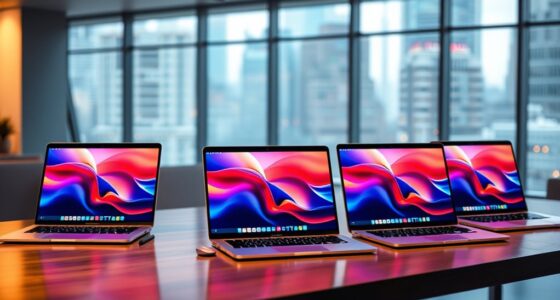

For most developers, I’d choose the 2026 16-inch MacBook Pro with M5 Pro as the best overall balance of memory, screen space, and current-generation performance. The 14-inch M5 MacBook Pro with 24GB RAM is a more compact fit for everyday coding, while the 16-inch M5 Pro with 48GB RAM and 2TB storage suits large projects and heavier local workloads. The main tradeoff is between portability and sustained performance, with memory and storage shaping how comfortably a machine handles containers, simulators, and multiple tools. Older Intel and renewed models can fit narrower budgets or compatibility needs, but involve more compromises than the Apple silicon options. Read on for the full comparison and help matching a MacBook Pro to your development workload.

Get wellness gear delivered free with Prime
- Fast, free delivery on millions of items
- Prime Video, Amazon Music and more included
- Member-only deals all year
Key Takeaways
- The 2026 16-inch M5 Pro with 24GB RAM and 1TB SSD is the strongest all-around choice here: it pairs current-generation Pro-class hardware with a large workspace without stepping up to 48GB memory.
- The 14-inch M5 with 24GB RAM offers a more portable daily coding setup than the 16-inch models; its smaller display is the main give-up, not a lack of memory for typical development.
- The 16-inch M5 Pro with 48GB RAM and 2TB SSD is the most capable configuration for large local workloads, but many developers will not need that much memory and storage.
- The M4 Max renewed model has substantial memory and a powerful chip, but its premium-class graphics and older generation may be more than a software-focused workflow needs.
- The 8GB renewed 13-inch Intel model and 2019 Intel i9 model are the most compromised choices for modern development: one is constrained by memory, while the other trades Apple silicon efficiency and newer platform support for legacy Intel compatibility.
| Apple MacBook Pro 13-inch (Renewed, 8GB RAM, 256GB Storage) – Space Gray |  | Best Entry-Level Pick | Processor: 8th-generation quad-core Intel Core i5 | Display: 13-inch Retina with True Tone | Memory: 8GB RAM | VIEW ON AMAZON | See Our Full Breakdown |
| Apple 16-Inch MacBook Pro (Late 2019) with 2.3GHz Intel Core i9, 32GB RAM, 1TB SSD – Space Gray (Renewed) |  | Best Legacy Intel Workstation | Model year: Late 2019 | Processor: 2.3GHz Intel Core i9 | Memory: 32GB RAM | VIEW ON AMAZON | See Our Full Breakdown |
| Apple 2024 MacBook Pro 16-inch with M4 Max Chip, 48GB RAM, 1TB SSD, Space Black (Renewed) |  | Best for Demanding Builds | Processor: Apple M4 Max chip | Display: 16-inch Liquid Retina XDR | Memory: 48GB unified memory | VIEW ON AMAZON | See Our Full Breakdown |
| Apple 2025 MacBook Pro 14-inch with M5 Chip (10-Core CPU/GPU, 16GB RAM, 1TB SSD, Space Black) |  | Best Compact Current-Generation Pick | Model: MacBook Pro 14-inch (2025) | Processor: Apple M5 chip, 10-core CPU and 10-core GPU | Memory: 16GB unified memory | VIEW ON AMAZON | See Our Full Breakdown |
| Apple 2025 MacBook Pro Laptop with M5 Chip (14.2-inch, 24GB RAM, 1TB SSD, Silver) |  | Best Overall for Most Developers | Model: MacBook Pro 14-inch (2025) | Processor: Apple M5 chip, 10-core CPU and 10-core GPU | Memory: 24GB unified memory | VIEW ON AMAZON | See Our Full Breakdown |
| Apple 2026 MacBook Pro Laptop with M5 Pro Chip, 16.2-inch Liquid Retina XDR Display, 24GB RAM, 1TB SSD, Space Black |  | Best for Large-Screen Development | Processor: Apple M5 Pro chip, 18-core CPU and 20-core GPU | Display: 16.2-inch Liquid Retina XDR | Memory: 24GB unified memory | VIEW ON AMAZON | See Our Full Breakdown |
| Apple 16-inch MacBook Pro with M5 Pro Chip, 48GB RAM, 2TB SSD, Space Black (2026) |  | Best for Memory-Heavy Development | Processor: Apple M5 Pro chip, 18-core CPU and 20-core GPU | Display: 16.2-inch Liquid Retina XDR | Memory: 48GB unified memory | VIEW ON AMAZON | See Our Full Breakdown |
| macbook pro for software development | Processor | Display | Memory | Storage |
|---|---|---|---|---|
| Apple MacBook Pro 13-inch | 8th-generation quad-core Intel Core i5 | 13-inch Retina with True Tone | 8GB RAM | 256GB SSD |
| Apple 16-Inch MacBook Pro | 2.3GHz Intel Core i9 | 16-inch, listed resolution 1920 x 1080 pixels | 32GB RAM | 1TB SSD |
| Apple 2024 MacBook Pro 16-inch | Apple M4 Max chip | 16-inch Liquid Retina XDR | 48GB unified memory | 1TB SSD |
| Apple 2025 MacBook Pro 14-inch | Apple M5 chip, 10-core CPU and 10-core GPU | 14.2-inch Liquid Retina XDR, up to 1600 nits peak brightness | 16GB unified memory | 1TB SSD |
| Apple 2025 MacBook Pro Laptop | Apple M5 chip, 10-core CPU and 10-core GPU | 14.2-inch Liquid Retina XDR, up to 1600 nits peak brightness | 24GB unified memory | 1TB SSD |
| Apple 2026 MacBook Pro Laptop | Apple M5 Pro chip, 18-core CPU and 20-core GPU | 16.2-inch Liquid Retina XDR | 24GB unified memory | 1TB SSD |
| Apple 16-inch MacBook Pro with | Apple M5 Pro chip, 18-core CPU and 20-core GPU | 16.2-inch Liquid Retina XDR | 48GB unified memory | 2TB SSD |
More Details on Our Top Picks
Apple MacBook Pro 13-inch (Renewed, 8GB RAM, 256GB Storage) – Space Gray
This renewed 13-inch MacBook Pro is the lowest-commitment route into macOS development in this group. Its quad-core Intel Core i5 and SSD can handle coding, browsing documentation, and lighter projects, while the compact Retina display makes it easier to carry than the 16-inch models. But the 8GB of RAM and 256GB SSD set real limits: multiple containers, large builds, and several heavyweight tools can crowd its resources quickly. Compared with the 2025 14-inch MacBook Pro with M5 and 24GB RAM, it has far less headroom and older Intel hardware; its case is a narrower fit for learning, maintenance work, or a secondary machine. The renewed condition also means possible cosmetic wear, so I would skip it for long-term professional workloads.
Pros:- Quad-core Intel Core i5 supports everyday coding and light development tasks.
- Compact 13-inch Retina display with True Tone is easier to carry than the 16-inch options.
- SSD storage keeps everyday file access and application launches responsive.
- Touch ID adds convenient authentication.
Cons:- 8GB RAM can constrain multitasking, local services, and larger projects.
- 256GB storage fills quickly with development tools, source files, and simulators.
- Renewed condition may include cosmetic imperfections, and Intel Iris Plus Graphics 645 is not suited to demanding graphics workloads.
Best for: Students learning programming, or developers maintaining small projects who want a compact macOS laptop and can work within 8GB of RAM.
Not ideal for: Professional developers running containers, virtual machines, large builds, or several memory-heavy apps; 8GB RAM and 256GB storage leave little room to grow.
- Processor:8th-generation quad-core Intel Core i5
- Display:13-inch Retina with True Tone
- Memory:8GB RAM
- Storage:256GB SSD
- Graphics:Intel Iris Plus Graphics 645
- Condition:Renewed
- Color:Space Gray
Our verdict“Choose this renewed model for learning and light coding on a compact Mac, but step up to an M5 model for sustained development work.”
Apple 16-Inch MacBook Pro (Late 2019) with 2.3GHz Intel Core i9, 32GB RAM, 1TB SSD – Space Gray (Renewed)
The late-2019 16-inch MacBook Pro is the lineup’s legacy workstation choice: its 32GB RAM and 1TB SSD give developers more room for IDEs, local databases, and parallel tasks than the renewed 13-inch model. The 2.3GHz Intel Core i9 can suit teams that depend on Intel-based tools or older macOS workflows, while the large screen offers more workspace without an external monitor. That specialization comes with a tradeoff: it is a four-pound Intel machine, and its integrated Intel UHD Graphics 630 is less suited to GPU-heavy work than the M4 Max model. Compared with the newer 14-inch M5 MacBook Pro, this option brings more memory and storage than the 16GB configuration, but older hardware and a renewed condition make it a less future-facing choice.
Pros:- 32GB RAM supports heavier multitasking than the 8GB renewed 13-inch model.
- 1TB SSD provides more room for projects, tools, and local development data.
- 16-inch display gives code and documentation more screen space.
- Intel Core i9 may fit workflows that specifically depend on Intel software compatibility.
Cons:- Late-2019 Intel hardware is an older platform than the M5 and M4 Max options.
- Four-pound weight makes it less convenient to carry every day.
- Integrated Intel UHD Graphics 630 is a limitation for GPU-intensive workloads.
Best for: Developers tied to Intel-specific software or legacy macOS workflows who need 32GB RAM and a large built-in display.
Not ideal for: Buyers seeking a lightweight daily carry, current-generation Apple silicon, or strong graphics performance for GPU-heavy development.
- Model year:Late 2019
- Processor:2.3GHz Intel Core i9
- Memory:32GB RAM
- Storage:1TB SSD
- Display:16-inch, listed resolution 1920 x 1080 pixels
- Graphics:Intel UHD Graphics 630
- Weight:4 pounds
- Condition:Renewed
Our verdict“Pick this renewed 16-inch model when Intel compatibility and 32GB RAM matter more than portability or a newer platform.”
Apple 2024 MacBook Pro 16-inch with M4 Max Chip, 48GB RAM, 1TB SSD, Space Black (Renewed)
For developers who run large builds, several services, and memory-heavy tools together, this renewed 16-inch MacBook Pro offers the most substantial listed memory allocation: 48GB unified memory, paired with the M4 Max chip. It is a stronger fit for demanding local workflows than either 14-inch M5 configuration here, especially the 16GB version, and its 16-inch Liquid Retina XDR display gives code and multiple panels generous room. The cost of that capacity is a larger, heavier machine, and renewed status may bring a more limited warranty. Its 1TB SSD is useful but not unusually spacious for developers keeping extensive local datasets or virtual machines. I would choose it over the 2019 Intel model for current Apple silicon performance, but skip it if portability matters more than sustained workload headroom.
Pros:- M4 Max chip and 48GB unified memory suit demanding multitasking and professional workloads.
- 16-inch Liquid Retina XDR display provides ample workspace for code and tools.
- 1TB SSD offers useful project and application capacity.
- MagSafe, HDMI, SDXC, and Thunderbolt ports support a range of peripherals.
Cons:- Large 16-inch chassis is less portable than either 14-inch M5 model.
- Renewed condition may come with limited warranty coverage.
- 1TB storage may be restrictive for extensive datasets, virtual machines, or large media assets.
Best for: Developers running large builds, multiple local services, or memory-intensive creative and engineering tools who want a roomy 16-inch screen.
Not ideal for: Frequent travelers, light coders, or buyers who want a new unit with clearly defined warranty coverage.
- Processor:Apple M4 Max chip
- Display:16-inch Liquid Retina XDR
- Memory:48GB unified memory
- Storage:1TB SSD
- Connectivity:MagSafe, HDMI, SDXC card slot, and Thunderbolt ports
- Keyboard:QWERTY English Magic Keyboard with Touch ID
- Condition:Renewed
- Color:Space Black
Our verdict“Choose this renewed M4 Max when memory headroom and a large display matter more than compact size and new-unit warranty certainty.”
Apple 2025 MacBook Pro 14-inch with M5 Chip (10-Core CPU/GPU, 16GB RAM, 1TB SSD, Space Black)
This 14-inch M5 MacBook Pro is the compact, current-generation option for developers who want a capable everyday machine without stepping up to the 16-inch M4 Max. Its 10-core M5 CPU, 1TB SSD, and bright Liquid Retina XDR display suit coding, general development, and regular travel; HDMI, SDXC, MagSafe, and three Thunderbolt 4 ports also reduce the need for adapters. The main compromise is 16GB unified memory. It can be a sensible fit for ordinary IDE use and moderate multitasking, but developers running multiple containers, virtual machines, or large projects may prefer the 24GB version of this same M5 model. Compared with the renewed 13-inch Intel MacBook Pro, this is a newer platform with more storage, yet its memory ceiling still makes workload planning relevant.
Pros:- M5 chip with 10-core CPU and GPU provides a current-generation platform for everyday development.
- 14.2-inch Liquid Retina XDR display offers a bright, high-contrast workspace.
- 1TB SSD gives more working room than the 256GB renewed 13-inch model.
- Three Thunderbolt 4 ports, HDMI, SDXC, and MagSafe support varied desk setups.
Cons:- 16GB unified memory may constrain heavy multitasking and larger local development environments.
- 14-inch screen offers less workspace than the 16-inch M4 Max model.
- The listed M5 configuration may be more than light coding workloads require.
Best for: Developers who travel often and want a current 14-inch MacBook Pro for everyday coding, web development, and moderate multitasking.
Not ideal for: Engineers who routinely run multiple virtual machines, large container stacks, or other memory-heavy workflows and would benefit from 24GB or more.
- Model:MacBook Pro 14-inch (2025)
- Processor:Apple M5 chip, 10-core CPU and 10-core GPU
- Memory:16GB unified memory
- Storage:1TB SSD
- Display:14.2-inch Liquid Retina XDR, up to 1600 nits peak brightness
- Ports:Three Thunderbolt 4, HDMI, SDXC, MagSafe 3, and headphone jack
- Camera:12MP Center Stage
- Color:Space Black
Our verdict“Choose this 14-inch M5 model for a portable current-generation development machine, unless your work regularly pushes beyond 16GB of memory.”
Apple 2025 MacBook Pro Laptop with M5 Chip (14.2-inch, 24GB RAM, 1TB SSD, Silver)
This 14-inch M5 configuration earns the broadest recommendation in this batch because 24GB unified memory offers more breathing room for development multitasking than the otherwise similar 16GB M5 model. IDEs, browser tabs, local services, and moderate container use can coexist more comfortably, while the 1TB SSD leaves practical room for projects and tools. It keeps the same portable 14.2-inch Liquid Retina XDR display and useful port mix as its 16GB counterpart, so the distinction is not a different class of machine but more memory for demanding days. Developers running especially large builds or many virtual machines may still prefer the 48GB M4 Max, though that means accepting a larger renewed laptop. For most people who want a current compact MacBook Pro, this is the more balanced choice.
Pros:- 24GB unified memory gives more multitasking headroom than the 16GB M5 configuration.
- M5 chip with 10-core CPU and GPU supports current development and creative workloads.
- 1TB SSD provides practical space for code, tools, and local project files.
- 14.2-inch Liquid Retina XDR display and a broad port selection suit mobile and desk use.
Cons:- 24GB remains below the 48GB offered by the 16-inch M4 Max for unusually memory-heavy work.
- 14-inch display provides less workspace than the 16-inch options.
- macOS and Apple silicon may not fit teams dependent on Windows-only or Intel-specific development tools.
Best for: Working developers who want a portable current-generation MacBook Pro for IDEs, browser-heavy workflows, and moderate local services without limiting themselves to 16GB RAM.
Not ideal for: Developers with consistently extreme memory demands, large virtual-machine fleets, or workloads that benefit from the M4 Max and its 48GB memory.
- Model:MacBook Pro 14-inch (2025)
- Processor:Apple M5 chip, 10-core CPU and 10-core GPU
- Memory:24GB unified memory
- Storage:1TB SSD
- Display:14.2-inch Liquid Retina XDR, up to 1600 nits peak brightness
- Ports:Three Thunderbolt 4, MagSafe 3, SDXC, HDMI, and headphone jack
- Camera:12MP Center Stage
- Color:Silver
Our verdict“For most developers who want a portable, current MacBook Pro with useful memory headroom, choose this 24GB M5 configuration over the 16GB version.”
Apple 2026 MacBook Pro Laptop with M5 Pro Chip, 16.2-inch Liquid Retina XDR Display, 24GB RAM, 1TB SSD, Space Black
The 16.2-inch display gives developers room to keep an editor, terminal, and documentation visible together, while the M5 Pro’s 18-core CPU and 20-core GPU suit demanding builds and creative workloads. Its 24GB of unified memory and 1TB SSD offer a capable baseline for multitasking and keeping active projects local. Compared with the 48GB, 2TB M5 Pro model in this roundup, this configuration gives up memory and storage headroom, but may fit developers whose workloads do not involve many virtual machines or large local datasets. The Thunderbolt 5, HDMI, and SDXC connections reduce reliance on adapters at a desk. The tradeoff is the large, heavy chassis: developers who prioritize mobility may prefer the 14-inch M5 MacBook Pro, while those running memory-heavy environments should choose the higher-capacity configuration.
Pros:- M5 Pro 18-core CPU and 20-core GPU target demanding development and creative workloads.
- 16.2-inch Liquid Retina XDR display provides generous workspace for code and reference material.
- 24GB unified memory and 1TB SSD suit substantial multitasking and local project storage.
- Thunderbolt 5, HDMI, and SDXC provide useful connection options for desk setups.
Cons:- Large, heavy design is less convenient for frequent travel than the 14-inch M5 MacBook Pro.
- 24GB RAM and 1TB storage provide less headroom than the 48GB, 2TB M5 Pro configuration.
- The supplied product information does not specify battery duration beyond describing it as all-day.
Best for: Developers who want a large built-in workspace for coding, terminal sessions, and visual tools, with enough memory and storage for demanding everyday projects.
Not ideal for: Developers who travel frequently and need a lighter laptop, or those running multiple virtual machines and large local datasets that call for 48GB RAM and 2TB storage.
- Processor:Apple M5 Pro chip, 18-core CPU and 20-core GPU
- Display:16.2-inch Liquid Retina XDR
- Memory:24GB unified memory
- Storage:1TB SSD
- Battery life:Described as all-day; duration not specified
- Connectivity:Wi-Fi 7, Bluetooth 6, Thunderbolt 5, HDMI, SDXC card slot, MagSafe 3
- Camera:12MP Center Stage
- Speakers:Six speakers with Spatial Audio and Dolby Atmos
Our verdict“Choose this M5 Pro configuration if a spacious screen and broad connectivity matter more than carrying less weight or maximizing memory and storage.”
Apple 16-inch MacBook Pro with M5 Pro Chip, 48GB RAM, 2TB SSD, Space Black (2026)
This configuration is the lineup’s clearest fit for developers who need to keep several demanding workloads open at once: 48GB unified memory leaves more room for virtual machines, containers, large projects, and background tools than the 24GB M5 Pro model. Its 2TB SSD also makes it easier to keep extensive source trees, build artifacts, and local datasets on the laptop. The shared M5 Pro 18-core CPU and 20-core GPU pair with a 16.2-inch Liquid Retina XDR display, giving it the same broad performance and workspace profile as the less-equipped M5 Pro option. The difference is capacity, not a different chip tier. That extra headroom comes with the same large, less-portable form and a likely higher purchase commitment; developers with modest projects may get a better fit from the 24GB, 1TB model or the 14-inch M5 MacBook Pro.
Pros:- 48GB unified memory provides more capacity for virtual machines, containers, and concurrent tools.
- 2TB SSD offers substantial local space for large repositories, datasets, and build artifacts.
- M5 Pro 18-core CPU and 20-core GPU target demanding professional workloads.
- 16.2-inch Liquid Retina XDR display gives developers room for code, terminals, and visual references.
Cons:- Large, heavy design is less suited to frequent travel than the 14-inch models.
- The expanded memory and storage may be unnecessary for developers with lightweight workflows.
- The product data notes limited configurable options, which may restrict buyers seeking a different setup.
Best for: Developers who routinely run multiple containers or virtual machines, work with large local datasets, or keep extensive projects and build files on their laptop.
Not ideal for: Developers working mainly in lightweight editors and modest projects, or commuters who would rather carry the smaller 14-inch M5 MacBook Pro.
- Processor:Apple M5 Pro chip, 18-core CPU and 20-core GPU
- Display:16.2-inch Liquid Retina XDR
- Memory:48GB unified memory
- Storage:2TB SSD
- Battery life:Described as all-day; duration not specified
- Color:Space Black
- Power adapter:140W USB-C Power Adapter
Our verdict“Pick this M5 Pro when large projects and concurrent development environments justify 48GB of memory and 2TB of local storage.”

How We Picked
I ranked these MacBook Pros around the work developers actually run: editors and IDEs, local build tools, browsers, simulators, databases, and containerized services. Memory capacity, chip generation, and storage mattered most because they affect multitasking headroom, build workflows, and how much room remains for tools and project files. I also weighed screen size and portability, since a larger display can make long coding sessions easier while a smaller laptop is more convenient to carry.
The order favors configurations that balance current hardware with useful memory and storage, rather than rewarding the highest specification alone. That puts the 16-inch M5 Pro with 24GB ahead as the broadest fit, with the 14-inch M5 models close behind for portability and the 48GB M5 Pro reserved for intensive workloads. Renewed Intel models rank lower because their age and, in one case, limited memory create meaningful tradeoffs; the M4 Max remains compelling for specialized workloads but is not the default choice for general software development.
| macbook pro for software development | Color |
|---|---|
| Apple MacBook Pro 13-inch | Space Gray |
| Apple 16-Inch MacBook Pro | — |
| Apple 2024 MacBook Pro 16-inch | Space Black |
| Apple 2025 MacBook Pro 14-inch | Space Black |
| Apple 2025 MacBook Pro Laptop | Silver |
| Apple 2026 MacBook Pro Laptop | — |
| Apple 16-inch MacBook Pro with | Space Black |
Factors to Consider When Choosing Macbook Pro For Software Development
Choosing a development laptop is less about chasing the biggest chip and more about matching the machine to your tools, project size, and work habits. I’d start with the demands that are hard to change later—memory, storage, and whether your workflow depends on Intel-only software—then decide how much screen space and portability matter.
Set Memory Around Your Real Workload
Memory affects how many demanding tools can stay open without forcing you to close applications or reduce workloads. A typical editor, browser, and terminal session asks less of a machine than several containers, a simulator, and a large IDE running together. Think about your heaviest normal workday, not just the requirements for writing code. Developers working with multiple services or virtualized environments should favor extra headroom over a chip upgrade that leaves memory low. The 8GB renewed model is a warning against choosing a MacBook Pro by name alone. On Apple silicon laptops, memory is built into the system, so it cannot be upgraded later.
Choose Chip Class for the Work You Run
Pro- and Max-class chips make the most sense when builds are frequent, workloads are sustained, or graphics and machine-learning tasks are part of the job. For web development, scripting, and many application projects, a standard M-series chip can leave more room in the budget for memory or storage while still providing a responsive development environment. A larger chip does not automatically make every compile faster; toolchain behavior, project structure, and memory limits matter too. Check the software you rely on before selecting a generation, especially if a project depends on specific architectures or drivers. Avoid paying for graphics capacity you will not use just because the laptop is marketed as a professional model.
Treat Intel Compatibility as a Specific Requirement
Older Intel MacBook Pros can be useful when a workflow requires native Intel hardware or software that behaves differently under Apple silicon compatibility tools. That is a targeted reason to choose one, not a general performance advantage. Before buying, check the support status of your operating system, development tools, security software, and any required virtualization stack. A renewed Intel laptop can also bring battery wear and a shorter remaining support horizon than a newer Apple silicon model. Do not assume that an older i9 processor automatically outperforms a newer chip in everyday development tasks. If compatibility is not the problem you are solving, current Apple silicon is the safer starting point.
Estimate Storage From Repositories and Toolchains
Storage needs grow through more than source code: SDKs, simulators, container images, build artifacts, and local datasets can consume space quickly. A developer with lightweight projects may be comfortable with less capacity, but multiple platform toolchains can change that calculation. Check how much space your current machine uses and add room for the projects you expect to keep locally. External drives can help with archives and large datasets, though they are less convenient for files you need constantly. Since internal storage is not a practical upgrade after purchase, buying too little can become a daily maintenance task. More capacity is most useful when it replaces repeated cleanup, not simply because the number is larger.
Balance Screen Space Against Portability
A 16-inch display gives more room for code, documentation, and debugging panels, which can reduce window switching when working away from an external monitor. A 14-inch model is easier to carry and can be a better fit for commuting or working in varied spaces. Neither size changes the quality of your code, so weigh the screen against how often you travel and whether you usually dock at a desk. Developers who rely on an external monitor may prefer portability over the built-in display area. Those who work primarily on the laptop itself may welcome the larger panel and chassis. Account for desk setup and travel habits rather than treating larger as automatically better.
Judge Renewed Models by Risk, Not Just Specifications
A renewed laptop can offer a configuration that is no longer sold new, but the listed processor and memory do not tell the whole story. Ask about the seller’s return window, battery condition, included charger, and how the device was inspected. Check the exact model year and configuration, since similar MacBook Pro names can hide major differences in ports, display, and platform support. For development work, a lower initial outlay can lose its appeal if the battery needs service or the machine cannot support required tools for long. Compare the renewed option with a newer model that has less headline hardware but a longer useful life. Choose renewed when its specific configuration solves a real need and the condition terms are clear.
Frequently Asked Questions
Is 16GB of memory enough for software development on a MacBook Pro?
It can be enough for a focused workflow built around an editor, browser, terminal, and moderate project builds. The workload changes when you add several containers, mobile simulators, a large IDE, or memory-heavy local services. I’d compare the memory use of your busiest day rather than relying on a minimum requirement listed by a tool. If you routinely run several demanding processes together, extra memory is more useful than paying for a faster chip while keeping a tight memory ceiling. Since these systems do not offer a later memory upgrade, leave headroom if you expect your projects to grow.
Should I buy a 14-inch or 16-inch MacBook Pro for coding?
Choose based on where you work and how much you rely on the built-in screen. The 14-inch model is easier to carry and makes sense if you travel often, use an external monitor at your desk, or value a smaller footprint. The 16-inch model gives more room for an editor beside documentation, logs, and debugging tools, which can make laptop-only work more comfortable. If you mostly dock, the larger display may not justify carrying a bigger machine. Neither size is inherently better for compiling; make the choice around mobility and workspace.
Does a software developer need an M5 Pro or M5 Max chip?
Not every developer needs a Pro or Max chip. A standard M5 configuration can be a sensible match for web apps, scripts, and many general coding workflows, especially when paired with enough memory. Pro-class hardware is a better fit for sustained builds, heavier local services, and demanding multitasking. Max-class capacity makes more sense when graphics-intensive work or other specialized compute is part of the job. Before moving up a chip tier, identify the task that currently limits your work; memory, storage, or build configuration may be the more relevant constraint.
Is a renewed Intel MacBook Pro a good choice for development in 2027?
It can make sense when you have a concrete Intel-specific compatibility need, such as testing software on Intel hardware or using a tool that does not work adequately on Apple silicon. For general development, a renewed Intel system brings age-related tradeoffs in support, battery condition, and long-term usefulness. The 2019 i9 model has more memory and storage than the 8GB 13-inch option, but that does not erase its older platform. Check current support for your required operating system and toolchain before committing. If your workflow has no Intel dependency, a newer Apple silicon model is usually the more flexible direction.
Should I spend more on 48GB of memory and a 2TB SSD?
That configuration is most useful when your routine work includes large containers, multiple simultaneous services, substantial datasets, or several platform toolchains stored locally. It also gives room for project growth without frequent storage cleanup. If your coding is mostly editor-based and you keep large files on network or external storage, that capacity may sit unused. Extra memory and storage are hard to add internally later, so an upgrade can be worthwhile when you can name the workload it supports. Otherwise, a balanced 24GB and 1TB configuration may leave you with a more practical machine for everyday development.
Conclusion
For the broadest fit, I recommend the 2026 16-inch M5 Pro with 24GB RAM and 1TB SSD as best overall: it combines a current Pro-class chip, useful memory, and a roomy display without jumping to the largest configuration. My best value pick is the 14-inch M5 with 24GB RAM and 1TB storage, particularly for developers who want a portable machine and do not need a 16-inch screen. Beginners should start with that 24GB M5 setup rather than the renewed 8GB model, which leaves little room for a growing toolset. For demanding local workloads, choose the 16-inch M5 Pro with 48GB RAM and 2TB SSD; for graphics-heavy or specialized compute, the renewed M4 Max is the distinct premium option. I’d choose an Intel model only for a specific compatibility requirement, and I’d skip the 8GB renewed configuration for a primary development laptop.