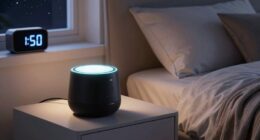
App notifications can interrupt your sleep by causing brief awakenings and reducing sleep quality. To quiet them automatically, use your device’s built-in features like Do Not Disturb mode or scheduled quiet hours. You can also automate this with third-party apps or set routines that dim screens and silence alerts before bed. Managing notification settings helps protect your rest and keeps you relaxed. Keep exploring ways to create a peaceful sleep environment and improve your nightly rest.

Get wellness gear delivered free with Prime
- Fast, free delivery on millions of items
- Prime Video, Amazon Music and more included
- Member-only deals all year
Key Takeaways
- Use your device’s built-in Do Not Disturb or scheduled quiet mode to automatically silence notifications during sleep hours.
- Set custom routines or automation apps like IFTTT or Tasker to turn off notifications when it’s bedtime.
- Adjust notification settings to mute non-essential alerts and prioritize only critical contacts or alarms.
- Reduce screen brightness and enable “bedtime mode” to minimize disruptive notifications and screen glow.
- Regularly review and update notification preferences to prevent alert overload and ensure a peaceful sleep environment.
Understanding the Impact of Notifications on Sleep Quality

Notifications can markedly disrupt your sleep by constantly pulling you out of restful states. Every alert or message triggers a brief awakening, fragmenting your sleep cycle and reducing overall quality. Over time, this sleep disruption can lead to fatigue, decreased focus, and mood swings. Managing digital hygiene is essential to protect your sleep health. By limiting notifications before bed, you give your brain a chance to unwind without interruptions. Constant alerts create a state of heightened alertness, making it harder to fall asleep and stay asleep. Recognizing how notifications affect your sleep helps you prioritize quiet time and establish healthier habits. Improving digital hygiene isn’t just about avoiding screens; it’s about creating a sleep-friendly environment that promotes deeper, more restorative rest. Establishing boundaries around notifications can significantly improve your sleep quality and overall well-being. Additionally, utilizing smart notification management features on your devices can help automate this process and ensure a more peaceful night’s sleep. Understanding the impact of digital interruptions can motivate you to set effective boundaries and protect your rest. Being aware of sleep disruption caused by alerts encourages proactive steps to minimize disturbances during rest periods. Incorporating energy-efficient cloud solutions can further support your efforts by reducing digital clutter and optimizing device performance for better sleep hygiene.
Using Built-in Settings to Schedule Do Not Disturb Mode

Many smartphones offer built-in settings that allow you to schedule Do Not Disturb mode, giving you control over when notifications can interrupt your rest. This feature helps prevent notification overload during your sleep hours, reducing the chance of sleep disruption caused by alerts or calls. By setting a consistent schedule, you ensure your phone automatically silences notifications at bedtime and wakes them up when you’re ready. You can customize exceptions for important contacts or alarms, so you stay connected when necessary without sacrificing your Zzz’s. Using these built-in options simplifies managing your notification flow, helping you create a peaceful sleep environment. It’s an effective way to maintain control over your device, minimizing interruptions and promoting better sleep hygiene. Additionally, enabling features like high refresh rates in your device can improve overall screen performance, making notifications less jarring when they do arrive.
Automating Notification Silence With Third-Party Apps

To automate silencing your phone’s notifications beyond built-in settings, third-party apps offer powerful and flexible solutions. These apps enhance notification management by allowing you to set specific rules and triggers for silent mode. With app automation features, you can create custom schedules, geofences, or event-based triggers that automatically mute notifications during sleep hours or other quiet times. Popular tools like IFTTT, Automate, or Tasker enable you to craft personalized routines that respond to your lifestyle, reducing interruptions without manual intervention. By leveraging these third-party solutions, you gain greater control over when and how your notifications disturb your rest, ensuring your phone stays silent when you need it most. Additionally, integrating smart home automation routines can help promote relaxation and improve your sleep quality, aligning with connected home fitness principles to support overall well-being. Utilizing automation workflows can further streamline your notification management, making it effortless to maintain a peaceful sleep environment. Introducing context-aware triggers allows your device to adapt its silent mode based on your location or activity, enhancing the customization of your quiet times.
Setting Bedtime Routines With Smart Device Features

Smart devices make it easy to establish a consistent bedtime routine that helps you wind down and minimize disruptions. You can set a specific time for notification timing, so app alerts automatically silence or shift to Do Not Disturb mode as you prepare for bed. Many devices allow you to create routines that trigger automatically, reducing the risk of late-night disturbances. Use your device’s sleep or bedtime features to schedule these routines, ensuring notifications are muted when you’re ready to sleep. Creating automatic routines can simplify this process and ensure your settings activate seamlessly each night. These routines can also be customized to include energy-efficient settings, helping you conserve power while maintaining a peaceful environment. Implementing smart home integrations can further enhance your bedtime environment by coordinating multiple device actions effortlessly. Consistently following these routines can improve your sleep quality over time. Here’s a simple example:
| Time | Action | Notification Type |
|---|---|---|
| 9:30 pm | Activate Do Not Disturb | App alerts silenced |
| 10:00 pm | Dim smart lights | Visual cues |
| 10:15 pm | Play relaxing sounds | Audio cues |
| 10:30 pm | Lock doors | Security alert |
| 11:00 pm | End routine, sleep mode | All notifications off |
Customizing Notification Preferences for Better Rest

After setting up routines to silence notifications during bedtime, you can further customize your notification preferences to guarantee you’re not disturbed at the most important moments. Effective notification management allows you to control which alerts come through and when, helping you maintain good sleep hygiene. Start by adjusting app-specific settings to mute non-essential notifications or set priority alerts only for critical contacts. Many devices let you schedule quiet hours or customize notification types, so you only see what matters. This way, you prevent unnecessary interruptions and reduce the temptation to check your phone. Fine-tuning your notification preferences creates a healthier digital environment, ensuring your sleep remains uninterrupted and your sleep hygiene improves. Managing digital distractions through notification settings can significantly enhance your overall sleep quality. Additionally, understanding your privacy options can help you customize notification alerts to protect your personal information while still staying informed. Small changes, like notification prioritization, can profoundly enhance your sleep and contribute to better digital wellbeing. Moreover, leveraging sound and vibration controls can help you avoid disruptive alerts without missing critical updates.
Tips for Maintaining a Healthy Digital Sleep Environment

Creating a healthy digital sleep environment involves more than just managing notifications; it also means being mindful of screen time and device placement before bed. Lowering your screen brightness reduces eye strain and minimizes the disruptive glow that can interfere with melatonin production. Turning off notification sounds prevents sudden interruptions that wake you up or distract you from winding down. Keep devices out of reach or in silent mode to avoid the temptation of checking them late at night. Establish a tech-free zone in your bedroom, especially an hour before sleep, to help your mind relax. Incorporating at‑home skincare devices into your routine can also promote relaxation and improve sleep quality. These simple steps create a calmer environment, allowing your body to shift seamlessly into restful sleep without unnecessary disruptions from notifications or bright screens.
Monitoring and Adjusting Your Notification Settings Over Time

Once you’ve adjusted your notification settings for a peaceful sleep, it’s important to periodically review and update them as your routines change. Over time, notification fatigue can sneak in, causing alert overload and making you more prone to ignoring important messages. To stay on top of this, consider these steps:
- Regularly check which notifications you’ve allowed and mute those that no longer matter.
- Pay attention to signs of alert overload, like feeling overwhelmed or distracted, and adjust settings accordingly.
- Set reminders to review your notification preferences weekly or monthly, ensuring they align with your current lifestyle and reduce unnecessary interruptions.
- Incorporate notification management strategies from the latest best practices to ensure your alerts serve your needs without overwhelming you. Additionally, staying informed about smart energy management can help you fine-tune your notification alerts related to home energy use and safety, keeping your environment both efficient and secure. Regularly updating notification settings can also prevent alert fatigue, helping you maintain focus and peace of mind.
Frequently Asked Questions
Can I Schedule Notifications to Turn off Automatically During Specific Days?
Yes, you can schedule notifications to turn off automatically during specific days using notification scheduling. Most smartphones and apps allow you to set quiet mode or focus mode during certain times or days. You simply select the days and times you want notifications silenced, and your device will automatically activate silent mode or disable notifications accordingly. This way, you get uninterrupted sleep or focus periods without manually adjusting your settings each time.
Do All Smartphones Support Automatic Notification Silencing Features?
Like a Swiss Army knife, smartphones vary in features. Not all support automatic notification silencing, but many do, especially newer models. You have great user control with notification customization options, allowing you to silence alerts during specific times or days. Check your device settings; if your phone offers these features, you can easily manage notifications to protect your sleep, though some older or less advanced models might lack this capability.
What Are the Best Third-Party Apps for Managing Notifications?
For effective notification management and app customization, you can try apps like Notifications Off, Daywise, or Do Not Disturb. These apps let you customize when and how you receive alerts, helping you silence unnecessary notifications automatically. They also offer features to prioritize important messages, so you stay focused and rested. Downloading one of these apps can make a real difference in reducing sleep interruptions caused by constant notifications.
How Do Notifications Affect Sleep Cycles and Overall Rest Quality?
Imagine notifications as tiny sirens blaring in your night sky, disrupting sleep cycles and preventing restful slumber. They cause sleep disruption and increase stress, making it harder to reach deep, restorative stages. Constant alerts pull you from peaceful dreams, leaving you groggy and stressed the next day. To protect your sleep, silence notifications automatically, allowing your mind to unwind and your body to recover fully.
Are There Any Risks to Silencing Notifications During Sleep Hours?
Silencing notifications during sleep hours generally poses minimal risks, but you should consider privacy concerns if sensitive alerts are missed. You might miss important messages or emergency alerts, so make certain your settings allow critical notifications through. To balance rest and safety, customize notification settings for essential apps and use do-not-disturb modes. This way, you protect your privacy without risking missed alerts that could be crucial.
Conclusion
By automatically silencing your notifications, you’re practically guaranteeing the best sleep of your life—no more interruptions, no more sleepless nights. Think of your device as a tiny, relentless alarm clock that’s been sabotaging your rest. With these simple steps, you’ll reclaim your dreams and wake up feeling like you’ve just had a full week of deep, uninterrupted sleep—because nothing should stand between you and the perfect night’s rest!
Halloween Picks
halloween
As an affiliate, we earn on qualifying purchases.