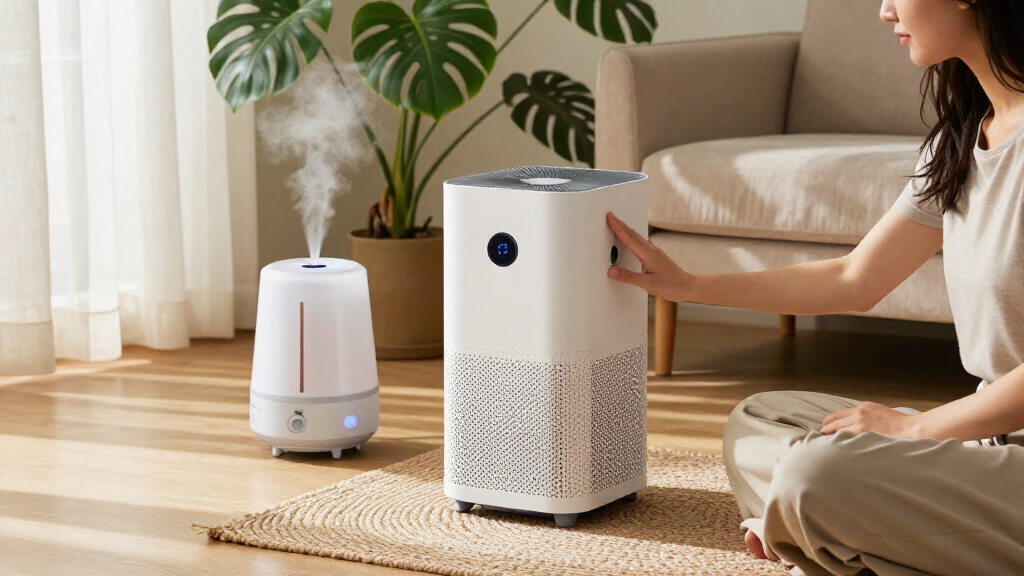
TL;DR

Get wellness gear delivered free with Prime
- Fast, free delivery on millions of items
- Prime Video, Amazon Music and more included
- Member-only deals all year
Smart home wellness devices are connected products that support comfort, sleep, environmental awareness, and selected health routines at home. Before buying, check what a device actually measures or automates, how dependable and private its data is, what it costs over time, and whether it helps you take a sensible action.
A smart device can tell you the bedroom is warm, the air monitor has spotted a change, or the lights are ready to dim. It cannot automatically tell you what those readings mean for your health. That gap is where smart home wellness devices can be useful—and where a little care pays off.
These connected products range from thermostats and air monitors to sleep trackers, smart bulbs, and connected scales. They may support comfort and day health routines, but they are tools for awareness and convenience, not replacements for medical care. You’ll learn how to judge their data, privacy, compatibility, and ongoing costs before you bring one home.
Define one household need before shopping, such as improving lighting routines or monitoring a specific indoor condition.
Check the exact measurements, sensor placement guidance, and testing information; a clean app display does not prove accuracy.
Treat consumer wellness readings as awareness tools, not diagnoses or substitutes for qualified care.
Compare subscriptions, replacement parts, compatibility, privacy terms, and update support alongside the purchase price.
Keep alerts and automation only when they lead to a clear action you can understand and override.
What Smart Home Wellness Devices Can Actually Do
Smart home wellness devices are connected products designed to support home comfort, sleep, environmental awareness, or selected health routines. They range from smart thermostats and air-quality monitors to sleep trackers, connected scales, and voice assistants. The label describes a broad group of tools, not a promise that every product measures health accurately.
Some products focus on your surroundings: an air monitor may track humidity, temperature, carbon dioxide, or certain particles. Others help with routines, such as a sunrise alarm that brightens gradually or a smart thermostat that adjusts the temperature before bedtime. A leak sensor is not a wellness gadget in the usual sense, but it can support a more comfortable, manageable home by alerting you to water where it should not be.
For example, imagine that your home office feels stuffy every afternoon. A monitor might show that carbon dioxide levels rise while the door stays shut, prompting you to open a window or take a break. That is a useful observation and a practical next step—not a diagnosis. What a device measures and what you can sensibly do with that information matter more than a polished app.
Products designed to support comfort can be helpful in small ways: a voice-controlled light may make a room easier to use at night, while a connected filter reminder may help you replace a filter on time. Choose based on a specific need rather than buying a bundle because it carries a broad wellness label.
Products Worth Considering

Levoit Core 400S-P Smart Air Purifier for Large Rooms

LEVOIT Vital 200S-P Smart Air Purifier for Large Rooms

Blueair Blue Pure 511i Max Smart Air Purifier
As an affiliate, we earn on qualifying purchases.
How to Judge a Reading Before You Trust It
Smart home wellness devices provide readings you should treat as estimates unless the product is specifically validated for a medical use. A precise-looking number in an app does not prove that a sensor is accurate, properly placed, or measuring the factor you care about. Read the product specifications and check how the manufacturer tested it.
Every sensor has a point of view. An air monitor near a kitchen stove may react to cooking, while one across the room records a different pattern. Humidity, temperature, dust, placement, and maintenance can all affect readings; some sensors also need calibration or periodic replacement. A single measurement shows one slice of the room, not the whole story.
Consider a sleep tracker that reports six hours and twenty minutes after a restless night. The number may help you notice that late coffee or a warm bedroom lines up with poorer sleep, but it is not equivalent to a clinical sleep study. If scores make you anxious, step back from nightly checking and focus on habits you can control, such as keeping a consistent bedtime.
Wellness is not medical care. Most general wellness products are not designed to diagnose or treat conditions. If you have symptoms or a concerning health reading, ask a qualified health professional; use a validated medical device when one is appropriate. For pre-existing conditions, get professional guidance before changing a routine based on an app’s advice.
A useful reading is not just a number on a screen; it is a clue you can check against what is happening in the room.
Choose a Device That Leads to a Practical Action
Smart home wellness devices are most useful when their information leads to a simple, sensible action. A chart that piles up in an app may look impressive, but a reminder that tells you to replace a filter or open a window can make a real difference to your routine. Before you buy, name the task you want the device to support.
- Pick one specific need. For example, you want to manage bedroom temperature or notice when indoor humidity changes.
- Check what the device measures or controls. Confirm the exact sensor, metric, or automated action rather than relying on broad wellness claims.
- Decide what you will do with the result. If a monitor detects a change, know whether you will ventilate, adjust a setting, or seek expert advice.
- Test the routine for a few weeks. Keep it only if the readings are understandable and the action fits naturally into your day.
For instance, a person who works from home might set a reminder to check ventilation after two hours in a closed office. That routine is more useful than staring at a graph without knowing what to change. Another household might schedule warm, dim lighting at 9:30 p.m. and keep a manual switch available for guests.
Automation should make your home easier to manage, not mysterious. Learn what triggers a device, how to pause it, and what happens if Wi-Fi drops. A smart blind that closes at sunset can be convenient; one that closes unexpectedly when you need daylight should have an easy override. Convenience works best when you stay in control.
Compare Compatibility, Privacy, and the Real Cost
Smart home wellness devices differ in how they connect, what they cost after purchase, and what information they collect. Checking those details before buying can save you from a device that needs an extra hub, loses features without a subscription, or sends sensitive routines to a service you do not want. The box price is only one part of the decision.
| What to check | Why it matters | Example question |
|---|---|---|
| Compatibility | Devices may use different apps, hubs, or wireless systems. | Will it work with the lights or voice assistant you already use? |
| Subscriptions | Remote access, saved history, or advanced analytics may require ongoing fees. | Which features stop when the paid plan ends? |
| Privacy | Sleep, occupancy, and health-related data can reveal personal routines. | What is collected, shared, retained, and deletable? |
| Maintenance | Filters, batteries, sensors, and calibration add work and expense. | How often do parts need replacement? |
Suppose two air monitors look similar. One costs less but stores only a short history; the other has a subscription for long-term charts. If you only want a current reading and a basic alert, paying monthly may not make sense. On the other hand, a household tracking seasonal patterns may value the history.
Platforms and standards such as Matter aim to make it easier for products from different manufacturers to work together, but support varies by device and feature. Confirm compatibility with your exact setup. For privacy, use a strong, unique password, turn on multifactor authentication when available, install updates, and review household sharing. Compatibility, data terms, and update support are product features, not fine print to ignore.
Match the Device Type to Your Household
The best smart home wellness device depends on the problem you want to make easier, not on which category is trending. A renter with a stuffy bedroom may value an air monitor, while someone trying to build a calmer evening routine may get more from scheduled lighting. Start small, then add devices only when the first one earns its place.
Air and environmental monitors can help you observe selected conditions, such as humidity or certain particles, but the sensor list matters. A monitor that does not measure a pollutant cannot tell you its level. Lighting and sleep tools can support predictable routines, yet a tracker’s sleep estimate should not become a nightly scorecard. For a household that wants easier access, voice controls, automated blinds, or a thermostat may offer more practical value than another health metric.
Think of a family with an older relative who finds a dark hallway difficult to cross at night. A motion-activated light may be a more fitting purchase than a connected scale because it addresses a specific comfort and access need. Another household may prefer a leak sensor under the sink because a phone alert could help them respond to a small drip before it becomes a larger home problem.
These devices can support a day health routine by reducing friction: a reminder, a comfortable room, or a clearer view of one environmental pattern. They do not guarantee better health. If a device adds alerts without useful actions—or turns ordinary changes into a source of worry—it may not be a good fit. Buy for the routine you want to improve, not for the number of features listed on the package.
Set Up Your First Device Without Adding Digital Clutter
A thoughtful setup makes a smart home wellness device easier to use and less likely to become another forgotten app. Place it where its sensor can do its job, connect only the features you need, and decide how you will respond to alerts. A few minutes of planning can prevent confusing readings and unnecessary notifications.
For example, do not tuck an air monitor behind a curtain or directly beside a humidifier if you want a general sense of room conditions. Follow the manufacturer’s placement instructions, give the device time to settle, and note changes when you cook, open windows, or run a fan. If a reading jumps, check what changed before assuming the device found a serious problem.
- Use a clear name such as “upstairs bedroom” rather than “sensor 2.”
- Limit alerts to changes that call for an action you understand.
- Keep a manual option so you can override lights, climate settings, or blinds.
- Review permissions and remove access you do not use.
- Plan maintenance for batteries, filters, updates, and calibration if required.
Try the setup for two or three weeks. If the alert arrives while you are cooking every evening, adjust its placement or settings rather than accepting a stream of false alarms. If a feature needs a cloud connection, check what continues to work when the internet is down. The goal is a home that feels calmer and more manageable, not a collection of blinking lights and unread notifications.
Frequently Asked Questions
What counts as a smart home wellness device?
A smart home wellness device is a connected product intended to support comfort, sleep routines, environmental awareness, or selected health tracking at home. Examples include air monitors, smart lighting, sleep trackers, connected scales, and voice-controlled thermostats. The category is broad, and each product measures or controls different things.
Can a wellness device diagnose a health problem?
Most general wellness products are not designed to diagnose or treat disease. Their readings may help you notice patterns, but they are not automatically equivalent to results from a validated medical device. If you have symptoms or a concerning reading, contact a qualified health professional.
Are smart air-quality monitors accurate?
They can help you track certain conditions or changes, but accuracy depends on the sensor, placement, maintenance, and pollutant being measured. Check the manufacturer’s specifications and independent testing where available. A monitor only reports what its sensors are designed to detect.
Do sleep trackers really improve sleep?
A sleep tracker may help you notice patterns, such as a connection between late caffeine and restless nights, but its estimate is not the same as a clinical sleep study. Use it to support steady habits rather than chasing a perfect score. If nightly tracking makes you anxious, consider taking a break.
Do I need a hub or subscription for these devices?
It depends on the product: some connect through Wi-Fi or Bluetooth, while others need a hub, cloud account, or paid plan. Before buying, check which functions stop if the subscription ends or the internet connection drops. Include fees and replacement parts in your cost comparison.
Will devices from different brands work together?
Sometimes, but compatibility depends on the devices, platform, connection standard, and supported features. Even products that share a standard may not support every function across systems. Confirm the exact combination with current product documentation before you buy.
How can I protect privacy when using smart wellness devices?
Review what data the device collects, where it is stored, whether it is shared, and how to delete it. Use a unique password, enable multifactor authentication when available, install software updates, and limit household access to people who need it. Pay particular attention to data about sleep, occupancy, and health-related readings.
Conclusion
Choose a smart home wellness device for the job it will do on an ordinary Tuesday, not for the health promises on its packaging. Check its measurements, data practices, ongoing costs, and compatibility; then connect it to one practical routine you can maintain.
The best device may be the quiet one that dims the lights at bedtime or reminds you to check a stuffy room. Useful technology should fit into your home like a well-placed lamp: there when you need it, never demanding the whole room.