
TL;DR

Get wellness gear delivered free with Prime
- Fast, free delivery on millions of items
- Prime Video, Amazon Music and more included
- Member-only deals all year
The traditional rule — build cheaper, buy faster — no longer holds in 2026. Prebuilt AI workstations often match or beat custom builds on price and come with tested thermals, support, and faster deployment. Your choice depends on your need for control, upgradeability, and time savings.
Ever wondered whether you should build your own AI workstation or just buy one ready-made? The answer isn’t as simple as it used to be. Years ago, building your own was cheaper, and buying was just for convenience. Today, that line blurs. The rapid rise of AI workloads, component shortages, and rising prices have shifted the landscape. If you’re considering your options, check out build vs buy a prebuilt AI workstation for more insights.
In this guide, we’ll break down what matters most—cost, performance, support, upgradeability—and show you real-world scenarios to help you decide. Whether you’re a hobbyist, a freelancer, or a small team, knowing when to build or buy can save you time, money, and frustration.
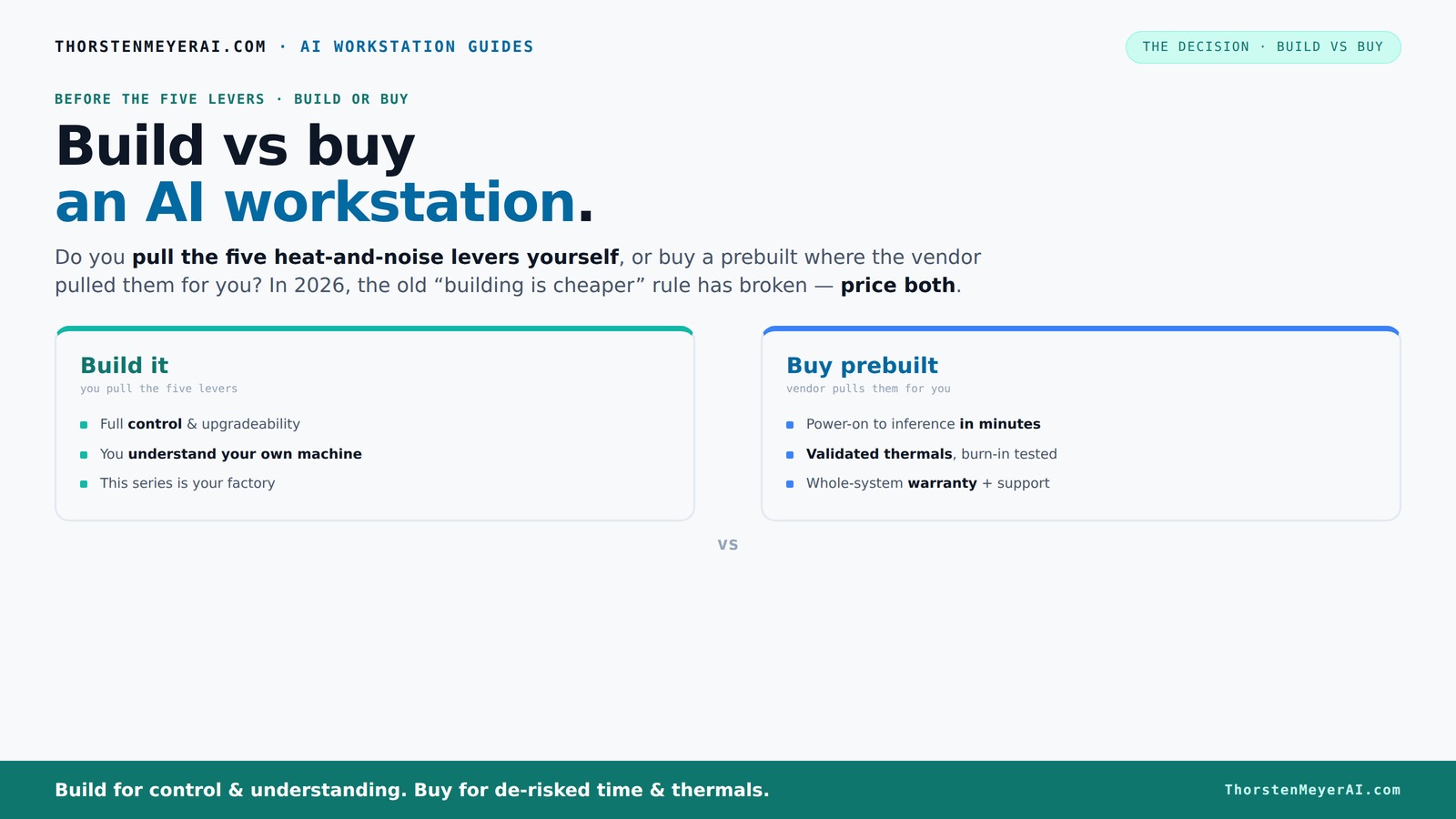
Build vs buy
an AI workstation.
The real question behind this whole series: do you pull the five heat-and-noise levers yourself, or buy a prebuilt where the vendor pulled them for you? And in 2026, the old “building is cheaper” rule has broken. Match your situation in Part 3.
Why 2026 flips the script on building being cheaper
For years, building your own AI workstation was the clear winner on price. That’s no longer true. Component shortages and bulk purchasing have pushed prices of GPUs, DDR5 RAM, and SSDs sky-high. A build that cost around $1,000 in 2024 now easily hits $1,250+ before you even add an OS.
Meanwhile, top-tier prebuilt vendors have already ordered large quantities of parts, securing better prices. They pass these savings on, offering systems that are often cheaper than assembling the same parts yourself today. The old rule — build for less — no longer always applies.
So, if you’re chasing the best deal right now, don’t assume DIY always wins. Take a moment to price both options for your exact setup. The reality is, the decision now hinges on factors beyond just cost: time, support, and control.
Furthermore, understanding this shift matters because it impacts how you plan your infrastructure. If you’re a researcher or a startup with tight budgets, relying on prebuilt systems can free up resources for other critical areas like data acquisition or software development. Conversely, if you need highly customized hardware configurations to squeeze out every ounce of performance, building might still be preferable, despite the cost.
As an affiliate, we earn on qualifying purchases.
The five levers of a high-performance AI workstation—and who pulls them
Running a powerful AI workstation isn’t just about slapping in a GPU. It’s about managing heat, noise, power, and stability. There are five levers: undervolting the GPU, matching the cooler to your workload, optimizing case airflow, tuning fans, and placement.
When you buy a prebuilt, the vendor pulls these levers for you—testing, tuning, validating thermals, and reducing noise. Many top vendors run 24–48 hours of stress testing, often including water cooling systems that keep temps low and noise down. This rigorous validation ensures the system performs reliably under heavy loads, reducing your need for trial and error and minimizing downtime due to thermal throttling or overheating. For more on optimizing hardware, visit help-zentrum.com.
If you build yourself, you’re the one pulling these levers. You choose a quiet GPU, pick a cooler, set up airflow, and tune fans—gaining control but also responsibility. This process requires knowledge, patience, and sometimes a bit of trial and error. The tradeoff is that you can optimize for specific noise levels or thermal performance tailored to your environment, but it may take longer to reach a stable, efficient setup. This emphasizes the importance of understanding thermal dynamics and component compatibility if you aim for a high-performance, quiet, and reliable system.
As an affiliate, we earn on qualifying purchases.
Comparison table: Build vs Buy for AI Workstations
| Aspect | Prebuilt | Build |
|---|---|---|
| Time to deploy | Ready to use immediately, OS included | Days to source parts, assemble, and tune |
| Cost | Often competitive, thanks to bulk buying; sometimes more expensive due to assembly fees | Potentially cheaper if you reuse parts or choose budget options |
| Customization | Limited to available configurations | Full control over every component—GPU, CPU, RAM, cooling |
| Support & warranty | System-level warranty, vendor support | Part warranties; user troubleshooting required |
| Upgradeability | Limited in some OEM systems, proprietary parts | Easy to upgrade with standard parts |
| Thermal management | Validated at factory, often quieter and cooler | Depends on your choices, more learning curve |
Understanding these differences helps you weigh the tradeoffs more effectively. For example, prebuilt systems often come with optimized thermal solutions and noise reduction, which are critical for long AI training sessions where thermal throttling can degrade performance. Learn more about wellness and equipment at beyondthepeel.net. Conversely, building allows you to select components with specific thermal and acoustic profiles, but at the expense of time and potential trial and error. Recognizing these implications ensures you make a choice aligned with your workload demands and technical comfort level.
As an affiliate, we earn on qualifying purchases.
Frequently Asked Questions
Is it cheaper to build or buy an AI workstation in 2026?
In 2026, component shortages and bulk buying have made prebuilt AI workstations often more affordable than DIY options. Always compare prices for your specific configuration before deciding.When does a prebuilt make more sense than building your own?
Prebuilts are ideal if you need a system quickly, want validated thermals, support, and minimal setup effort—especially for complex, multi-GPU setups or if you lack technical skills.What specs matter most for AI workloads: GPU, VRAM, CPU, or cooling?
GPU and VRAM are critical for large models and inference. Cooling and power supply become vital for sustained workloads. CPU and RAM matter too, but GPU dominates AI performance. For hardware tips, see mydreamshape.com.Are prebuilts harder to upgrade later?
Prebuilts often use proprietary parts or limited configurations, making upgrades trickier. DIY systems with standard parts are easier to modify and expand over time.Do prebuilt systems come with better warranties and support?
Yes. Prebuilts typically include system-level warranties and dedicated support, reducing your troubleshooting burden—especially important for high-performance AI setups.As an affiliate, we earn on qualifying purchases.
Conclusion
In 2026, the choice between building and buying your AI workstation boils down to your priorities. Want speed, support, and a system tested for heavy workloads? A prebuilt is your best bet. Crave control, customization, and the thrill of tuning? Building your own can be more rewarding—and often just as cost-effective.
Remember, the landscape is shifting fast—prices, component availability, and vendor offerings change. The smart move is to price both options today, and pick the one that aligns with your workload, skills, and timeline. Your perfect AI machine is out there—just choose the path that gets it into your hands fastest and best. For more on wellness and productivity, visit aromaoildiffusersblog.com.
Halloween Picks
halloween
As an affiliate, we earn on qualifying purchases.